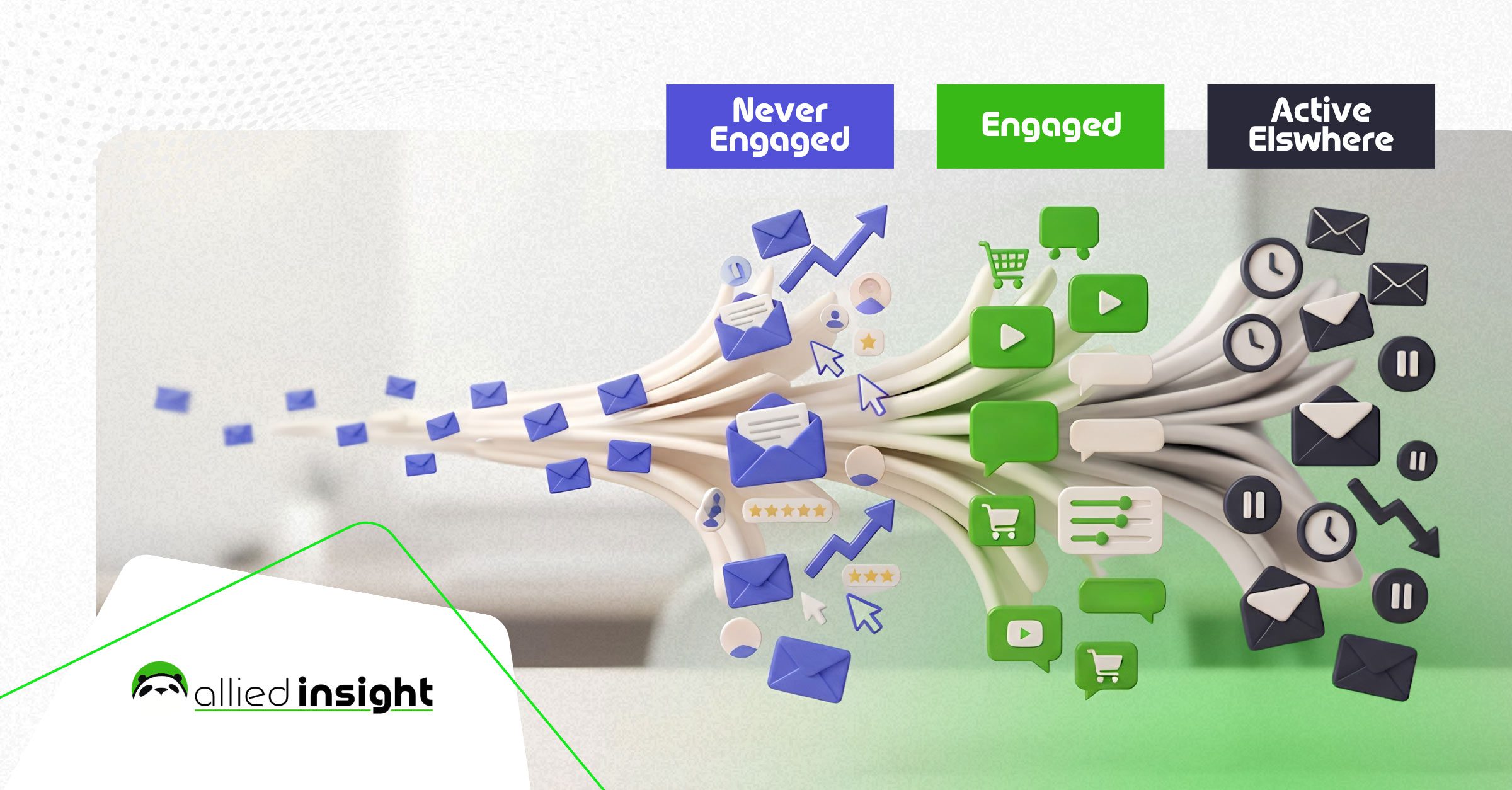
The short answer: Segmenting a dormant email list means sorting inactive contacts by why they went quiet, not by how long. Three groups usually cover it: contacts who never really engaged, contacts who engaged and then stopped, and contacts who are still active elsewhere but not in your inbox. Each group gets its own message and cadence.
This is written for marketing leaders and demand-gen managers deciding what to do with a list that has gone quiet before the next campaign goes out. It applies across B2B and B2C sending, not one industry’s playbook.
Every email list loses a meaningful share of its engaged contacts every year, whatever the industry. People change jobs. Inboxes get abandoned. Interest fades. HubSpot puts the natural decay of a typical list at roughly 28 percent a year. Send the same broadcast to that shrinking, silent portion that you send to your best customers, and the risk isn’t only a wasted send. It’s a spam complaint rate creeping toward the 0.3 percent ceiling Gmail enforces on every bulk sender, sorted or not.
The same pattern shows up across every vendor’s own guidance on this problem, stated differently each time: there is no single “dormant” contact. Mailchimp’s own send data shows segmented campaigns beating unsegmented ones by double digits on opens and clicks. Klaviyo’s guidance on win-back flows recommends testing timing and frequency rather than sending one fixed sequence, because a list of “inactive” contacts is not one audience. The tools built to solve this problem all assume the sort happens before the send, not after the campaign underperforms.
This guide covers that sort in four moves. First, why one blast underperforms a sorted send. Second, the three-way cut itself. Third, how to build a path for each cut. Fourth, what to track once the sends go out. Allied Insight has no proprietary dataset behind this piece. What follows comes from a real, common question and verified vendor data, not a client engagement.
Why Doesn’t One Re-Engagement Email Work on a Whole Dormant List?
A single re-engagement blast to a whole dormant list still loses to a segmented send. Mailchimp’s aggregate data shows segmented campaigns generating 14.31 percent higher opens and 100.95 percent higher clicks than non-segmented ones, with 9.37 percent fewer unsubscribes. The gap isn’t the offer in the email. It’s who can actually read it.
What’s happening: a “dormant” list is really several audiences stacked under one label, each with a different relationship to your brand.
Why it matters: a re-engagement email written to persuade someone who forgot you exist lands very differently on someone who tried you once and bounced off. It lands differently again on someone who still buys from you through another channel. One message can’t do all three jobs.
How to act on it: sort the list before you write a single subject line. The sort is the campaign strategy. The copy comes second.
What it looks like: instead of exporting “no opens in 180 days” and hitting send, export that same group, then split it again by what it actually did before it went quiet. That second split is where the real decision-making starts, and it’s the subject of the next section. Contact database hygiene is the maintenance side of the same problem.
The Three Cuts: Sorting Dormant Contacts by Reason, Not Recency
Most teams sort a dormant list by date: 90 days, 180 days, a year. A more useful cut sorts by reason instead. Three groups cover most of any dormant segment. Each one needs a different fix, not a longer wait.
| Cut | What defines it | What it actually means |
| Never really engaged | Opted in, few or no opens, no clicks, ever | The relationship never started. Re-engagement copy is really first-impression copy |
| Engaged, then stopped | A real history of opens and clicks, followed by a hard drop-off | Something changed. The message should acknowledge the gap, not pretend it isn’t there |
| Active elsewhere, quiet in inbox | Still transacting or visiting the site, but not opening email | An inbox problem, not a relationship problem. The fix may not be email at all |
The first cut is the one teams most often try to win back with the strongest offer, and it’s usually the wrong instinct. A contact who never engaged isn’t lapsed. They were never present. Persuading them takes the case a new subscriber gets, not a “we miss you” line.
The second cut is where a real event usually explains the silence: a role change, a canceled contract, a product they stopped needing. This group responds best to being asked, plainly, whether the reason still applies.
The third cut is worth checking before writing any copy at all. The fix here might be a deliverability or preference-center problem, not a messaging one. A contact who buys through your site but ignores your email may simply prefer a different channel, and no subject line changes that.
Pull up ten contacts from your dormant list. Check whether they ever opened an email from you. If most never did, the real issue is new leads, not old ones. Talk with our team →
Building a Re-Engagement Path for Each Cut
Klaviyo’s own guidance on win-back flows recommends sending 2 to 5 emails, spaced out, starting 3 to 6 months after a contact goes quiet. That range exists because “quiet” means something different for a contact who never engaged, one who stopped, and one who’s just gone silent in the inbox. A single fixed sequence assumes it doesn’t.
For contacts who never really engaged, the path is an onboarding sequence in disguise: why you’re worth opening, what they signed up for, and one easy way to raise a hand. This is not the moment for a “we haven’t seen you in a while” line. There was never a “before.”
For contacts who engaged and then stopped, name the gap directly and ask a real question: Has anything changed? A short, direct sequence of two or three emails, spaced roughly two weeks apart, tends to surface an answer faster than a long drip stalled on one generic offer. Email sending cadence is worth setting from engagement data rather than a fixed calendar, independent of segmentation.
For contacts who are active elsewhere but quiet in the inbox, the path is shorter and more diagnostic. Start with one email asking about channel preference, then change frequency or content type rather than repeating a push to open. If that group still won’t open after one clear ask, stop emailing them and track them through the channel where they’re actually active. Build a drip sequence with this kind of branching in mind before you launch any of the three paths.
What Should You Say to Each Segment?
The words should change more than the format does, across contacts who never engaged, contacts who stopped engaging, and contacts who are active elsewhere but quiet in the inbox. One clever subject line can’t do all three jobs. Each cut needs its own opening line, its own ask, and its own definition of success.
For the never-engaged cut, the copy should sound like an introduction, because it functionally is one. Lead with what the list is for and what they’ll get. Skip the apology for silence that never happened on their end.
For the stopped-engaging cut, acknowledge the gap in one sentence and ask a direct question rather than offering a blanket discount. A discount answers a question nobody asked. A direct question about relevance gets a real signal back, even when that signal is an unsubscribe.
For the active-elsewhere cut, keep the copy short, functional, and centered on channel preference rather than persuasion. This group already believes in the product. The open, or the lack of one, is a channel signal, not a loyalty signal. Personalize by behavior, not a name merge field, tends to carry more weight here.
Reread your last email to a quiet contact. Check who it was written for. If the same words fit a brand new lead and a longtime customer, you’re only sorting the list, not the message. Get a second read →
Measuring the Win After You Send
A re-engagement campaign against a segmented dormant list should be measured against three separate baselines, not one blended number. Success looks different in each cut. A modest open-rate lift among contacts who never engaged before, and a run of explicit unsubscribes among contacts who stopped engaging, can both be wins in the same week.
Watch complaint rate as closely as open rate. Gmail’s own sender guidelines set a hard 0.3 percent spam-complaint threshold for bulk senders, defined as 5,000 or more messages a day. The recommended working target is 0.10 percent, to leave room for a bad week. A dormant-list send is exactly the campaign that pushes a complaint rate toward that ceiling, because the recipients haven’t chosen to engage recently.
Track each cut’s outcome separately for at least one full cycle before deciding what to do with contacts who still don’t respond: reactivated, explicitly opted out, or unresponsive again. Reporting the campaign as one number hides which cut actually worked, and that’s the exact information a segmented approach exists to produce. Test before you assume which change moved the needle, rather than crediting the whole send.
Contacts who stay unresponsive after one full, cut-specific attempt are a decision, not a queue to try again next quarter. Suppress them, or move them to a lower-frequency list, and let the sort you just built keep the rest of the list healthy. Keep your list growing with the same discipline, so this doesn’t become an annual clean-up project.
Frequently Asked Questions: Segmenting a Dormant Email List
How long should I wait before calling a contact “dormant”?
Should I remove dormant contacts instead of trying to re-engage them?
Not immediately, and not all at once. Removal is the right move for contacts who don’t respond to one clear, cut-specific re-engagement attempt. Removing an entire dormant segment before sorting it by reason throws away contacts in the “active elsewhere, quiet in inbox” cut, who were never actually a deliverability risk.
What open rate should I expect from a re-engagement campaign?
Expect it to vary by cut rather than average out to one number. The never-engaged cut typically performs closer to a cold campaign. The stopped-engaging cut often responds better than expected to a direct, honest ask. The active-elsewhere cut may show low opens even when the underlying relationship is healthy, because the signal is about the channel, not the brand.
Do I need special software to sort a dormant list into these three cuts?
Most email platforms with any activity history, opens, clicks, and last-engagement date, can produce this sort with existing filters. The three-cut logic is a segmentation decision, not a tooling requirement. A spreadsheet export from most platforms is enough to start.
What if a segment still doesn’t respond to any re-engagement attempt?
That’s a valid outcome, not a failed campaign. A cut that stays silent after one clear, well-targeted attempt has told you something real. Suppress it, move it to a lower-frequency track, or, for the active-elsewhere cut, stop measuring the relationship through email at all.
The Real Cost of Skipping the Cut
The cost of treating a dormant list as one audience isn’t just a weaker campaign. Segmented sends already beat blended ones by double digits on opens and clicks. Win-back guidance points to a 2-to-5-email sequence timed 3 to 6 months out. Skipping the sort doesn’t avoid the question of which contacts are gone.
It just answers that question badly, using one blended metric to stand in for three different outcomes. Sorting a list this way is strategy work, not send-button work: deciding which three groups exist, what each one is actually being asked, and when to stop trying. Allied Insight builds that kind of audience strategy into the marketing programs we run for clients, alongside the copy and the send. If you want a second opinion on how your own dormant list is cut, or whether it’s worth cutting yet, talk with our team.
References
- Email Marketing Statistics 2026, Omnisend.
- What is re-engagement in marketing?, Klaviyo.
- Email sender guidelines, Google.