Websites break. As someone who’s spent the last decade keeping websites alive, I can tell you it’s not about if something will go wrong but about when and how quickly you can fix it. My team handles dozens of technical issues weekly, from slow page loads to full system outages, and we’ve learned what works (and what doesn’t).
If you want to know what actually matters for keeping your website healthy, here’s what you need to watch for and how to fix common issues before they become real problems.
Signs Your Website Needs Attention
What is the fastest way to spot website issues? Watch for these red flags:
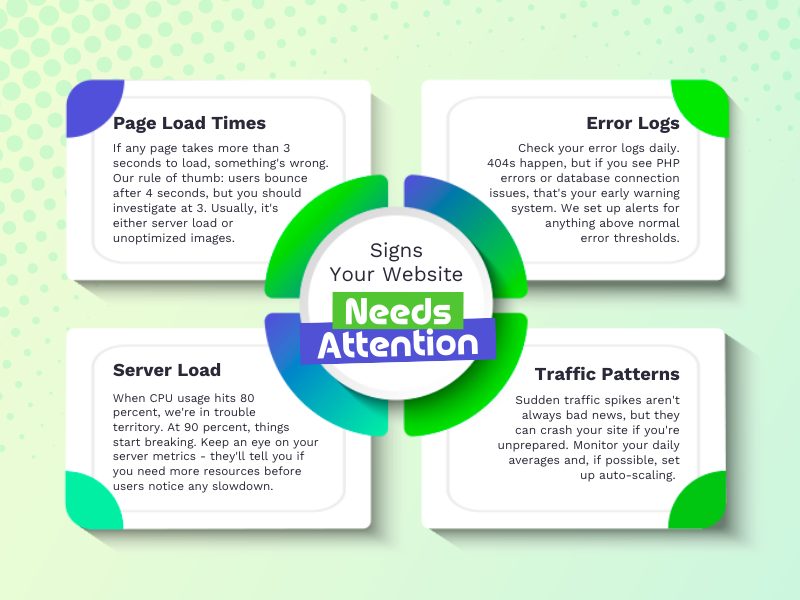
- Page Load Times – If any page takes more than 3 seconds to load, something’s wrong. Our rule of thumb: users bounce after 4 seconds, but you should investigate at 3. Usually, it’s either server load or unoptimized images.
- Server Load – When CPU usage hits 80 percent, we’re in trouble territory. At 90 percent, things start breaking. Keep an eye on your server metrics – they’ll tell you if you need more resources before users notice any slowdown.
- Error Logs – Check your error logs daily. 404s happen, but if you see PHP errors or database connection issues, that’s your early warning system. We set up alerts for anything above normal error thresholds.
- Traffic Patterns – Sudden traffic spikes aren’t always bad news, but they can crash your site if you’re unprepared. Monitor your daily averages and, if possible, set up auto-scaling.
Keeping Your Website Healthy
After years of keeping sites running smoothly, here’s what actually matters and how we handle it.
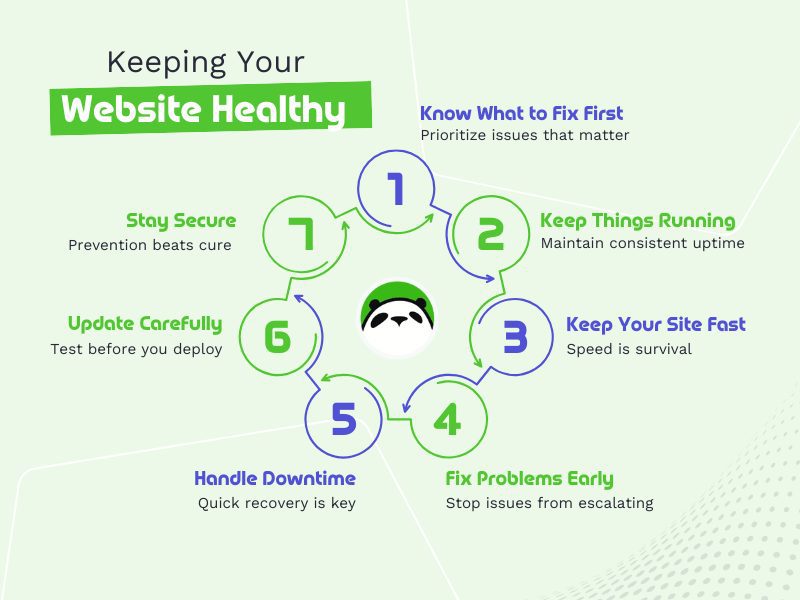
1. Know What to Fix First
When alerts start flooding in, you need a system. Not everything that looks urgent actually is. After years of managing websites, We’ve learned that most issues won’t crash your site, but some definitely will.
The real question is: what absolutely can’t break on your website? For some, it’s their checkout process. For others, it’s their login system or content delivery. Figure that out first. Here’s how we categorize it:
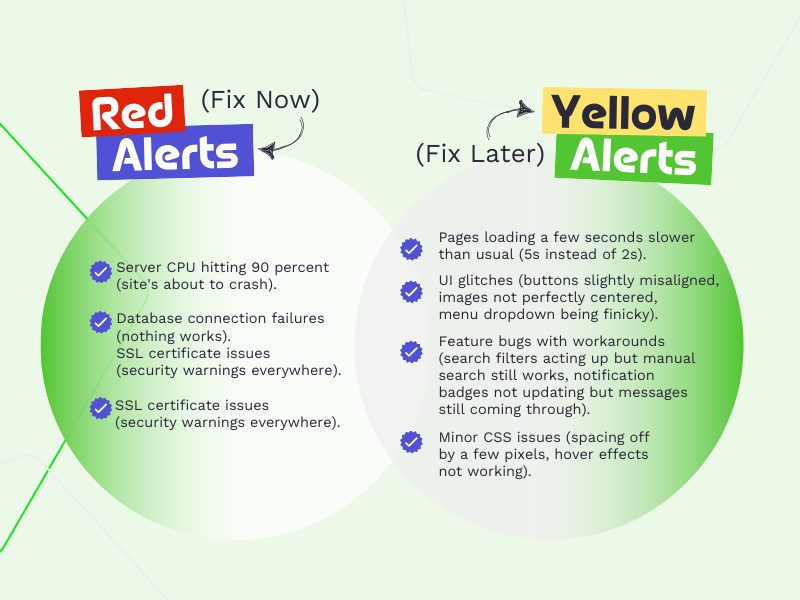
Red Alerts (Fix Now)
- Server CPU hitting 90 percent (site’s about to crash).
- Database connection failures (nothing works).
- SSL certificate issues (security warnings everywhere).
Yellow Alerts (Fix Later)
- Pages loading a few seconds slower than usual (5s instead of 2s).
- UI glitches (buttons slightly misaligned, images not perfectly centered, menu dropdown being finicky).
- Feature bugs with workarounds (search filters acting up but manual search still works, notification badges not updating but messages still coming through).
- Minor CSS issues (spacing off by a few pixels, hover effects not working).
We set our monitoring based on clear thresholds. 70 percent CPU usage? Time to investigate. 90 percent? Drop everything else. It’s about knowing which fires need putting out first.
Read More: 3 Little Known AI Technology Dangers That Could Be Hurting Your Hiring Process
2. Keep Things Running
Your site is either up or down—there’s no in-between. After monitoring hundreds of websites, most downtime is preventable.
Basic server monitoring is your friend here. We keep tabs on:
- Memory usage (when RAM hits 85 percent, things get dicey).
- Response time (anything over 2 seconds needs attention).
- Error rates (sudden spike in 500 errors? Something’s broken).
- Traffic patterns (unexpected traffic surges can kill your server).
We run a two-tiered alert system:
- Regular notifications via email: “Hey, page load’s getting slow” or “Database needs optimization”.
- Emergency alerts to our team chat: “Site’s down” or “SSL cert expired” – stuff that needs immediate action.
Tools like WordPress Multisite (WPMU) and SiteGround help, but honestly, most issues have warning signs. Slow admin panel? The database probably needs cleaning. Is the site getting sluggish? Check your hosting resources. Memory leaks? It’s time to hunt down that problematic plugin.
You can wait for things to break, but it’s way easier to fix issues when they’re small. We check these metrics daily as it beats explaining to everyone why the site is down.
Read More: About the Use of Chatbots in Recruitment. Yay or Nay?
3. Keep Your Site Fast
Fast loading times are critical for providing an exceptional user experience. But speed isn’t just about impatient users; it’s about whether your site works at all. Once pages take more than 5 seconds to load, you might as well be offline.
Here’s what slows sites down (I see these daily): massive images no one bothered to compress, too many plugins running at once, or database queries that should’ve been optimized months ago. The worst offender? Those fancy third-party scripts everyone wants to add.
We monitor load times constantly. Anything over 2 seconds gets flagged. Over 3 seconds is when users give up and leave. Our baseline metrics are:
- Page load: 2 seconds max.
- Time to first byte: under 200ms.
- Database queries: under 100ms.
- Image load times: under 1 second.
The fix is usually simple: compress those images, clean up the database, cache aggressively, and stop adding every shiny new plugin. Sometimes, it’s just about finding that one slow feature that’s bogging down everything else. Want to test your speed? Open Chrome DevTools; it will tell you exactly what’s slowing things down. No fancy tools are needed (though they help).
Read More: Here’s How Content Marketing Seals the Lead Generation Deal
4. Fix Problems Early
When technical issues pop up, you need a game plan. Random troubleshooting wastes time and usually makes things worse. Here’s our process. First, identify the scope. Is the whole site down or just specific pages? This tells us if we’re dealing with server-wide issues or isolated problems.
Then, check the server. Is it resources? Slow queries? Network issues? Most problems start here. If CPU usage is high, we check which processes are hogging resources, kill unnecessary processes, adjust resource limits if needed, and scale up resources if we’re consistently hitting limits.
If the server’s fine, we look at what changed recently. Was a new plugin installed? Is the config file updated? Code deployed? 99 percent of the time, something changed before something broke.
Still no answer? Time for the basics:
- Clear cache and test again.
- Check error logs for patterns.
- Test in different browsers.
- Run a quick security scan.
Backups are also important. We keep:
- Daily backups of databases.
- Weekly backups of all website files.
- At least three recent restore points.
- Offsite copies of critical data.
Sometimes, it’s obvious like when someone forgets to renew an SSL cert), but usually, it’s subtle. That’s why we document everything – the fix that worked last month will probably work again next month. The key is catching issues during daily checks, not waiting for users to report them.
5. Handling Unexpected Downtime
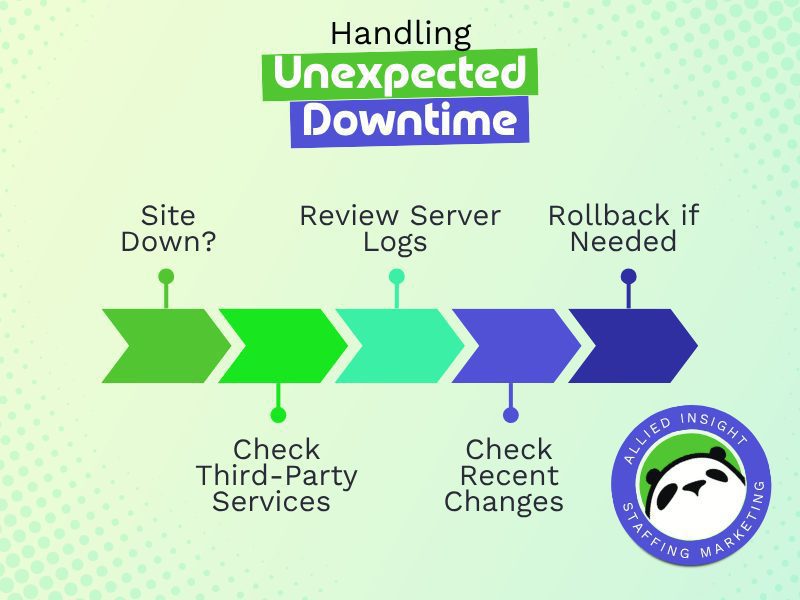
When your site crashes, first check if it’s actually your problem – sometimes it’s just a third-party service having issues. If it is on our end, we immediately check server logs and recent changes. Quick rollback to the last working version often solves it. If not, that’s why we keep daily backups.
After every incident, we run a root cause analysis (RCA): what broke, why it broke, and how to prevent it next time. Document everything – timestamps, changes made, what fixed it. Next time something similar happens, you’ll already know the solution.
Read More: Is Your Tech Stack Drowning You? Here’s How to Stay Afloat
6. Handle Updates Carefully
Every update is a chance for something to break. We have a strict rule: never update directly on the live site. Test everything on staging first, check for plugin conflicts, and run through core features before pushing live.
When we update, we take snapshots before making any changes. If something goes wrong (and sometimes it will), we can roll back instantly. Keep it simple: update one thing at a time, test thoroughly, document any issues. And only keep plugins you actually need – more code means more potential problems.
Read More: How AI Drives Human Resources Into the Future
7. Stay Ahead of Cybersecurity Threats
Keep your server-side software (PHP, MySQL) and website elements (plugins, themes) up to date; this blocks most common attacks. Run daily security scans for suspicious files or database changes, and keep an eye on failed login attempts – they often signal someone trying to break in.
For passwords: use strong, unique ones for each account and enable two-factor authentication where you can. Skip third-party password managers like LastPass. A good old password generator works fine. Regular backups stored off-site are your safety net if something gets through. Think of it like locking your doors and keeping spare keys somewhere safe – basic steps that prevent big problems.
Need help keeping your website running smoothly?
Allied Insight monitors, optimizes, and maintains websites so you don’t have to. We provide comprehensive web maintenance and digital marketing strategy to keep your site performing at its best – from website hosting to content that drives results.
We offer comprehensive digital marketing services, including web services like website monitoring, performance optimization, and management software solutions specifically designed for staffing agencies.
Reach out to us today for tailored support that elevates your digital strategy and enhances user experience. Schedule a consultation!